
This FAQ describes the Bulk Block Feature in more detail and how to use it.
Block multiple products using Bulk Block
Blocking a few products at a time can be done via the Product listing pages, but what if you need to block hundreds of products at a time? This is when you would use the Bulk Block Feature.
1. To get started you need a list of Traderunner SKU's you want to block, If you don't have a list, you can generate it via the Export CSV found here, click Products - Trade Me - Listed Tab - see Export CSV
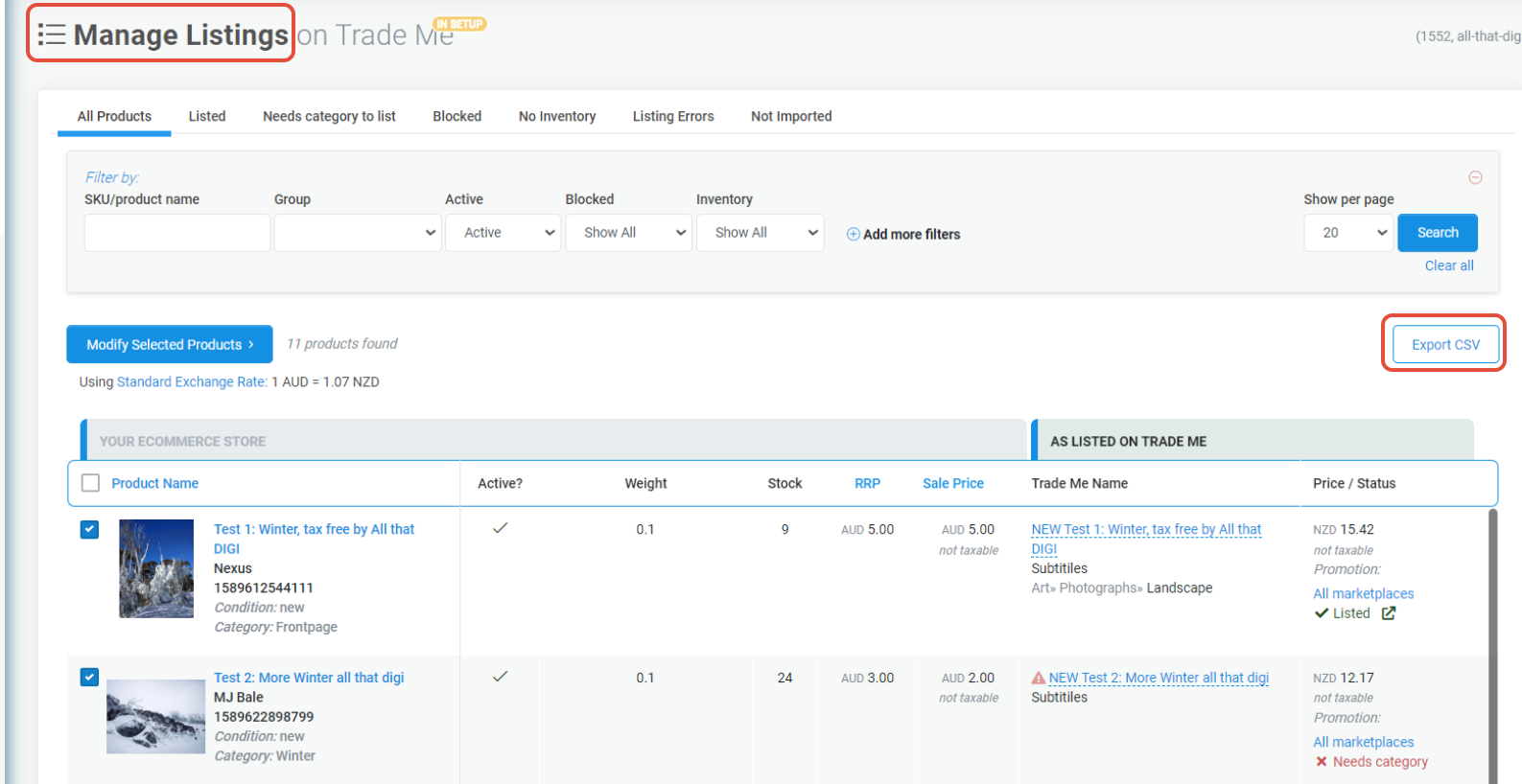
2. Filter what products you want to block/ unblock. Navigate to Products - Bulk Block to see the Bulk Block Screen.
3. Paste the list of SKU's in batches of 300-500 (any more than this can cause a timeout 504 error).
Note: you can also create a CSV of the SKU's and import it using the Choose File option.
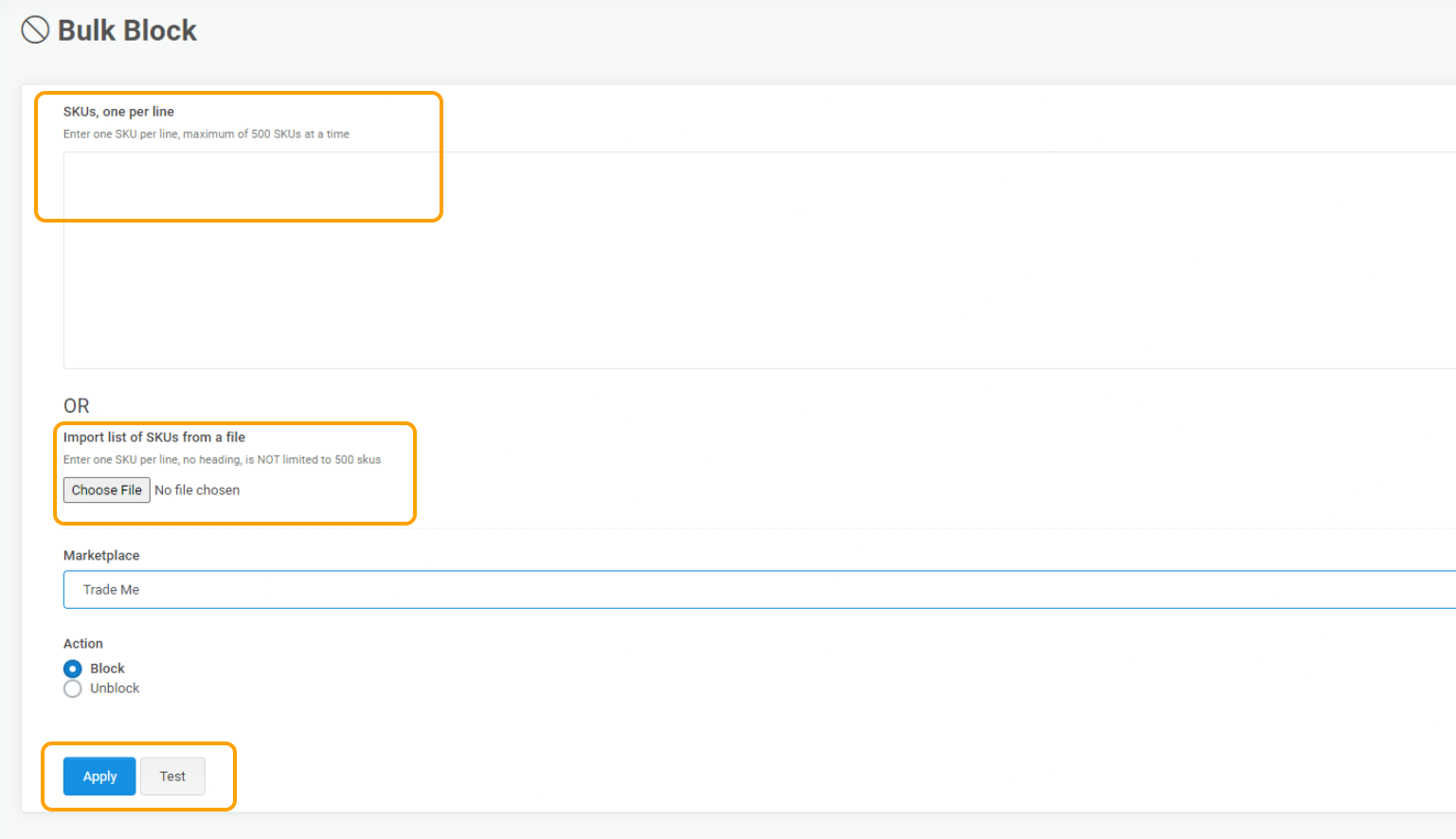
4. You can test the validity or status of products by clicking Test or Block / Unblock by clicking Apply.
5. Once completed, make sure you do an upload to the marketplace to ensure the products are blocked/unblocked.