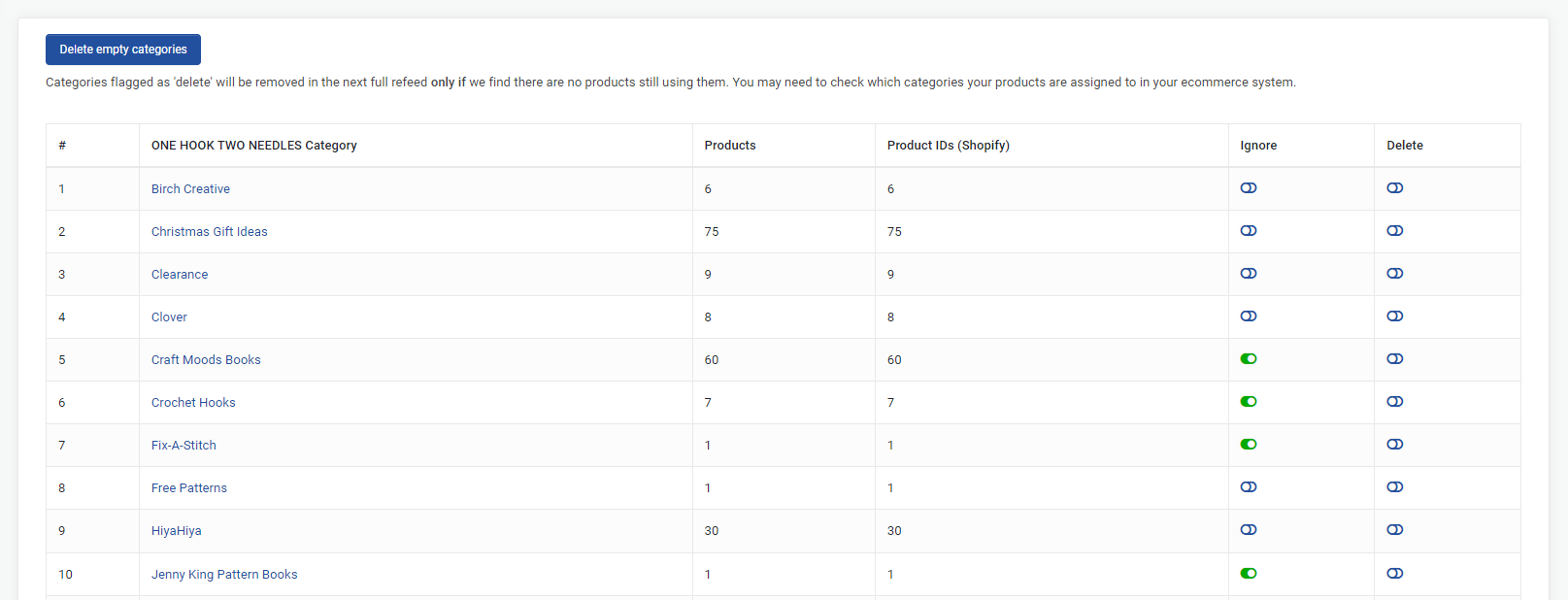
Many retailers have promotional type categories on their own eCommerce site such as 'Mothers Day Gifts' or 'Gifts under $50. These types of categories will usually contain a broad range of products - as a result, you can't assign a marketplace category to a retailer category otherwise you will have products listed on TradeRunner in the wrong category.
What to do with products with more than one retailer category
- If a product has more than 1 retailer category and is imported into Trade Runner in a 'promotional' type category, you can 'IGNORE' the promotional retailer category.
- The product that was in the promotional category will then be reassigned to another category. You can continue to ignore categories until the product sits in the correct category.
- For example, if a pair of womens jeans is in the below 5 categories, 'Ignore' all categories EXCEPT 'Jeans' then you can assign the Jeans category to the relevant Jeans category on Trade Me.
- Mothers Day Sale - ignore
- On sale - ignore
- 25% off - ignore
- Denim - ignore
- Jeans
How to ignore a category
- On the page where you map by category, in the 'Ignore' column, click the toggle so that it is green.
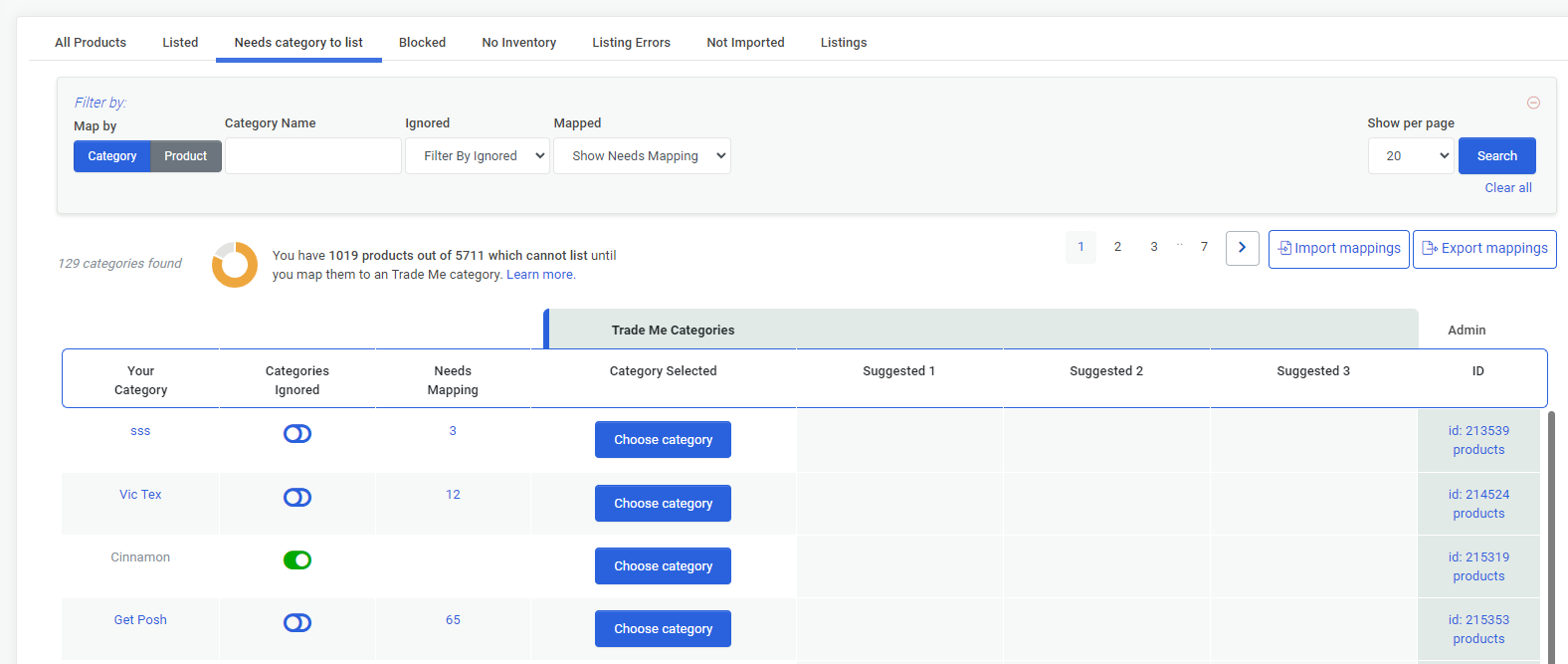
- You can also view and ignore all of your retailer categories by going to 'Products - Retailer Categories' from the left navigation menu.