
Products must be mapped to a Trade Me category before they can be listed on Trade Me. You can map an individual product or map a store category to a Trade Me category.
Map Products to a Trade Me Category
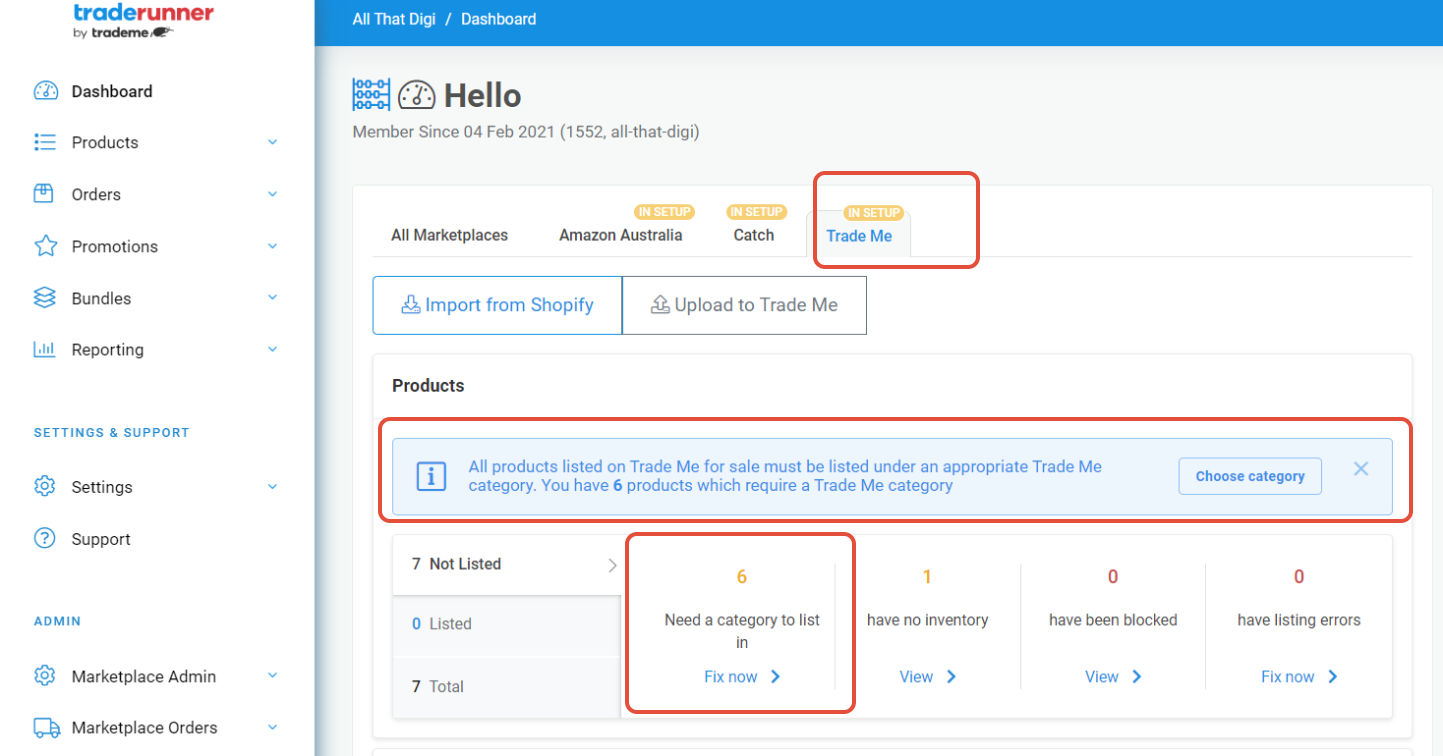
- Go to the Dashboard in Trade Runner.
- Under Need a category to list in, click Fix now.
- The category mapping screen will open.
- Choose whether to map an individual product or an entire category of products from your store.
- Map the product or store category to the appropriate Trade Me category.
For more detailed instructions, see How to Map/Assign Products to Trade Me Categories.